NeatReceipts Mobile Scanner for Mac
Rating: 2.5 / 5
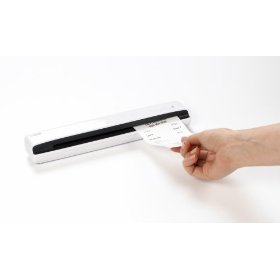
Designed exclusively for the Mac owner, the NeatReceipts Mobile Scanner and Digital Filing System allows Mac owners to get even more organized.
The NeatReceipts Scanner has an industrial design and software that ensures that it will work with the Mac systems. It can automatically gain information from receipts that are scanned into it and export the information to Quickbooks, (but apparently not Quicken) Excel, TaxCut and other programs that a user may employ for their financial planning. It is portable, weighing in at less than a pound, and provides USB interface without needing an AC adapter, making it very versatile for use in the office and at home.
Mac users will be delighted to be able to scan receipts and organize them in an interface that is familiar to them. The NeatReceipts Mobile Scanner and Digital Filing System will let the user generate expense reports, create a queue of PDF format documents that are searchable, and to easily track of their spending. It has technology that allows it to extract the important information and automatically categorize it. Receipts can be transformed immediately into expense reports. This scanner can also scan documents to create PDFs in searchable format, capture text for editing, and create organized collections of documents. It eliminates the need for keeping track of a multitude of papers, and turns those papers into information that can be organized and stored easily.
Users who have worked with this scanner have high regard for it, overall. They state that it is top-notch quality that it has great software and they appear to really appreciate the portability of the scanner as well. It got high ratings for being easy to use and for working seamlessly with the operating system that Mac uses. There are users that insist that it is the best scanner they have used, after trying several types. It is said to be quick and effective, and a great tool for use in small businesses. Many people laud the new releases that update the software and keep this scanner working at peak performance.
However, on the flip side, the scanner does not read business cards, and has a few places that it could stand improvement. For instance, it seems lacking in the sales tax category. A couple of users felt that it needed improvement there, as it often recognized a total price but not the sales tax. Some users have stated that it does not always get OCR correct all of the time, but that it actually will pick up a lot and editing is easily done. Sometimes the scanner does not recognize names of stores when they are printed in a different type style, as if often the case. It lacks the rather basic feature of scanning an item as a jpeg file, or of exporting scans in the jpeg format. Although it quickly goes through receipts and enters the information, care is still needed to double check all of the numbers, as it can, on occasion, scan a receipt at $32 even when the receipt was actually for $32.12. However, editing is easily done, so when it does misread, an alert user easily corrects it.
As the with the desktop scanner, the software needs a serious update and does not work as well as the PC edition.